
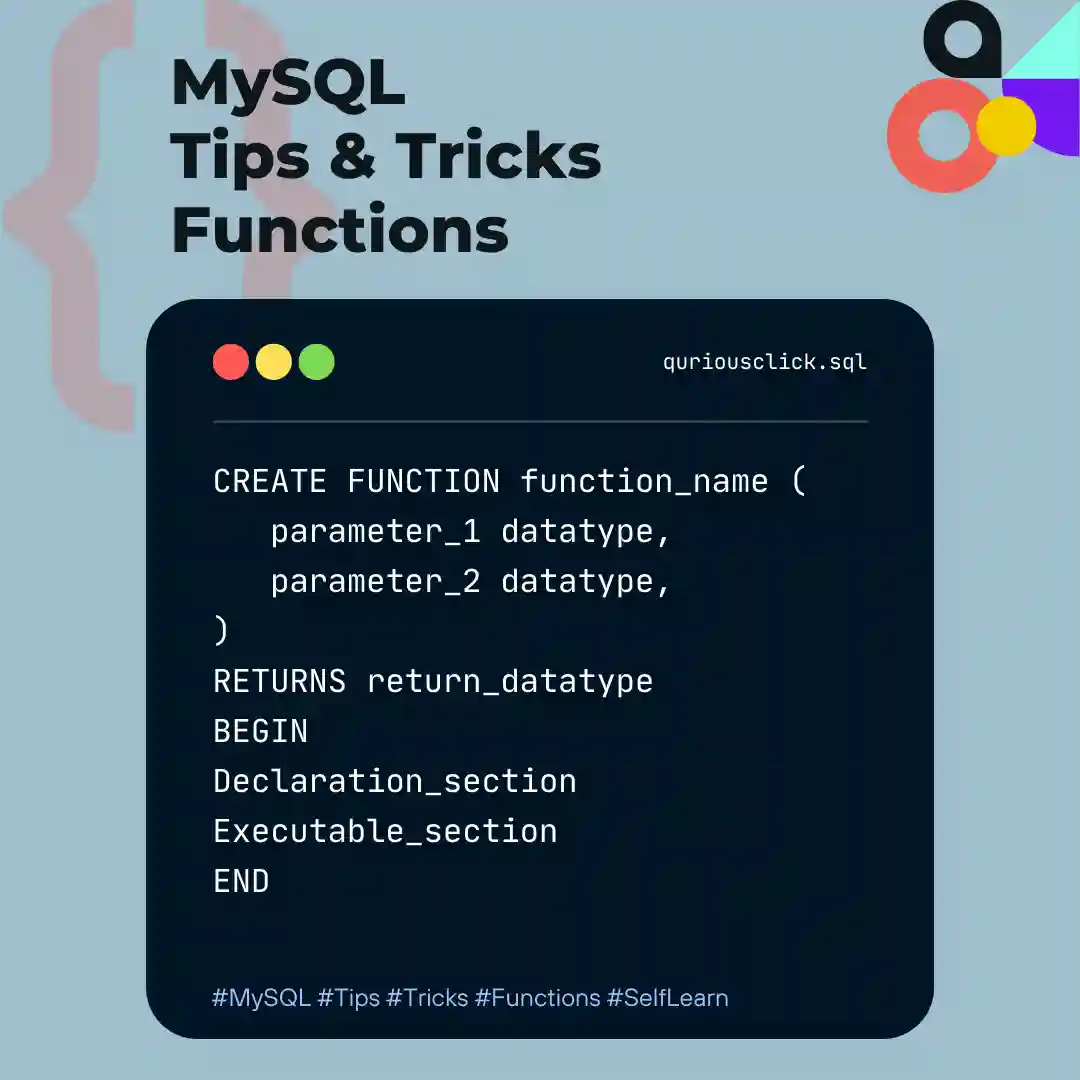
In our previous article on MySQL, we covered Triggers. In this article we are covering another important feature of MySQL “Functions“
What is Functions?
A Function in MySql is a set of SQL Statements for Performing tasks. you can pass parameters into function and they return a value. Functions used for code reusability so if you have to write large SQL Statements to perform the same task again and again, in that case you can create a function for that repeating task. Instead of writing the same code again and again, you can simply call that function.
MySql Supports Built in Functions and User Defined Functions.
MySQL Built in Functions :
- String Functions : String Functions allow users to manipulate data strings or query information about a string returned by the SELECT query. For more information about string functions read 12.8 String Functions and Operators
- Numeric Functions :Numeric Functions are used primarily for numeric manipulations and/or mathematical calculations. For more information about numeric functions read 12.6 Numeric Functions and Operators
- Date and Time Functions : These functions perform date arithmetic.Functions that expect date values usually accept datetime values and ignore the time part. Functions that expect time values usually accept datetime values and ignore the date part. For more information about date functions read 12.7 Date and Time Functions
You can Find lists of MySql Built in Functions from Article 12.1 Built-In Function and Operator Reference.
How to create a User defined Function?
Creating a Function in MySQL is Similar to Creating a function in Other Languages.
Syntax of Create Function in MySQL:
DELIMITER //
CREATE FUNCTION function_name (
parameter_1 datatype,
parameter_2 datatype,
parameter_n datatype
)
RETURNS return_datatype
BEGIN
Declaration_section
Executable_section
END //
DELIMITER;
function_name : name of the user defined function.
parameter: number of parameter you want to pass in the function. It can be one or more than one.
return_datatype: return value datatype of the function
declaration_section: in this section all variables are declared.executable_section: code for the function is written here.
How to Call Function?
SELECT function_name(parameter);
How to Drop Function?
Once a function is created, you need to remove it from the database. Once you have created your function in MySQL, you might find that you need to remove it from the database.
DROP FUNCTION [IF EXISTS] function_name;
Example
Step-1 Let’s create Table and Insert Data into Table.
mysql> CREATE TABLE Students (StudentId INT PRIMARY KEY, Name VARCHAR(50), BirthDate Date);
Query OK, 0 rows affected (0.03 sec)

mysql> INSERT INTO Students (StudentId, Name, BirthDate ) VALUES ( 1, 'Rahul', '2007-03-18');
Query OK, 1 rows inserted (0.03 sec)

mysql> INSERT INTO Students (StudentId, Name, BirthDate ) VALUES ( 7, 'Tina', '2006-05-21');
Query OK, 1 rows inserted (0.03 sec)

mysql> INSERT INTO Students (StudentId, Name, BirthDate ) VALUES ( 18, 'Suresh', '2005-01-08');
Query OK, 1 rows inserted (0.03 sec)
`Note: We’ve used BirthDate in YYYY-MM-DD Format.`
Step-2 Let’s create a function in MySQL using phpMyAdmin:
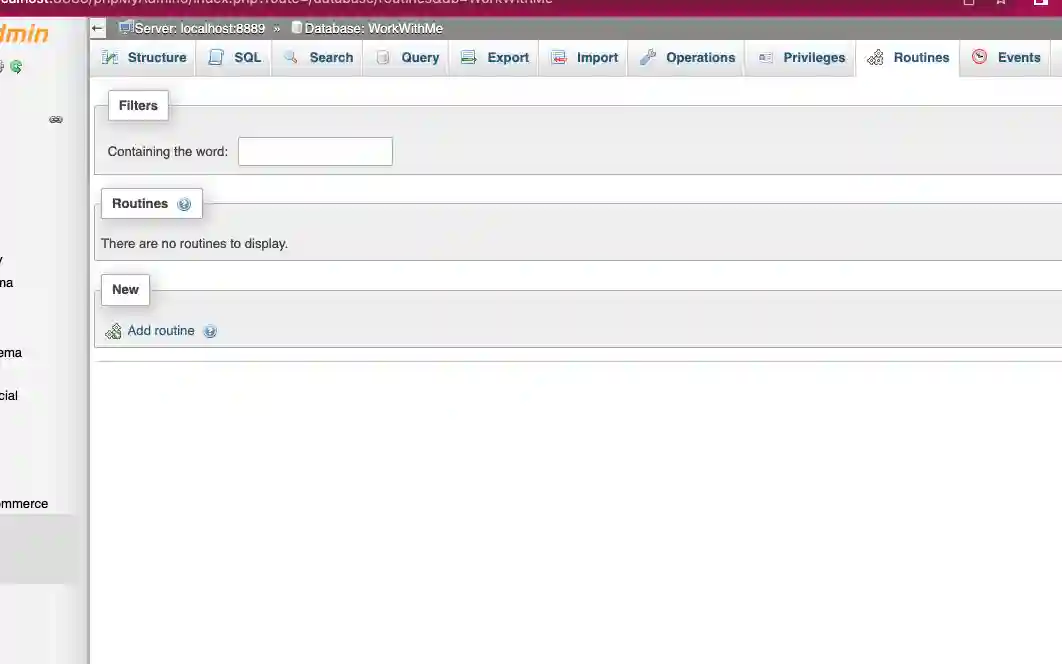
Creating Function from Routines Section, In Our Case We don’t have any Routines Yet, So by Clicking on Add Routine we Can Create New Routine.
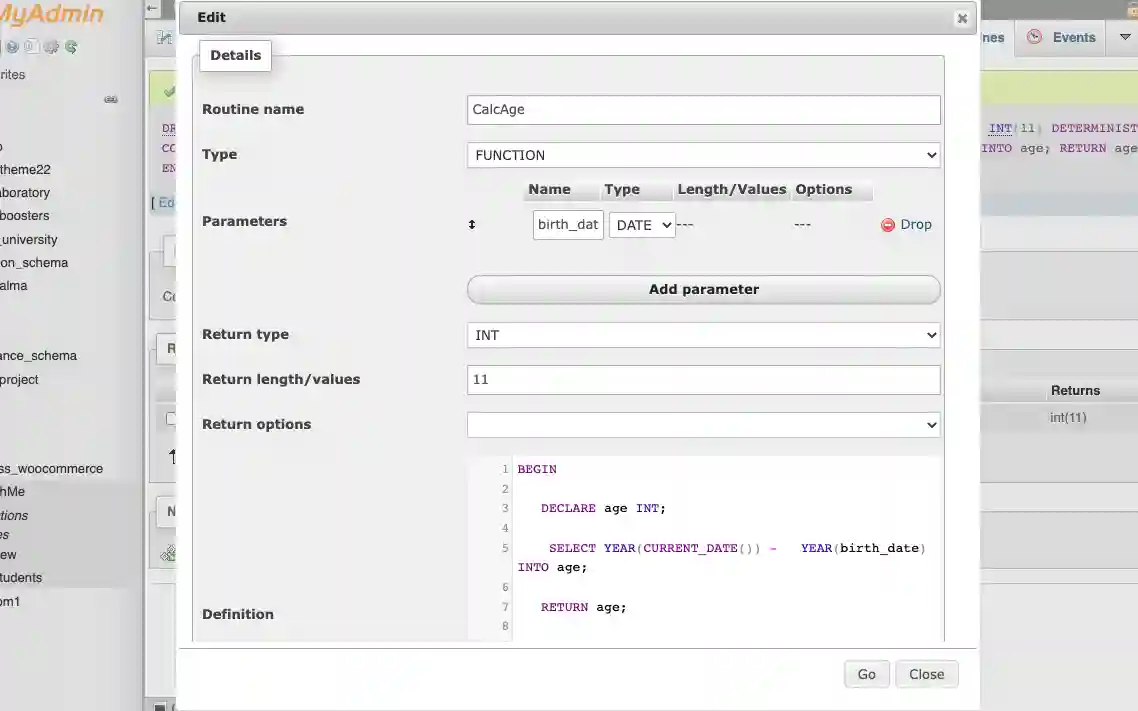
Step-3 Syntax of Creating CalcAge function in MySQL.
DELIMITER //

CREATE FUNCTION CalcAge ( age DATE )
RETURNS INT DETERMINISTIC
BEGIN

   DECLARE age INT;

   SELECT YEAR(CURRENT_DATE()) - YEAR(birth_date) INTO age;

   RETURN age;

END; //

DELIMITER ;
By Clicking on Add Routine You Can Find this Screen where you can Add your function.
Step-4 The syntax to call a function in MySQL is:
mysql> SELECT StudentId, Name, BirthDate, CalcAge(BirthDate) AS age
FROM Students
WHERE CalcAge(BirthDate) > 16;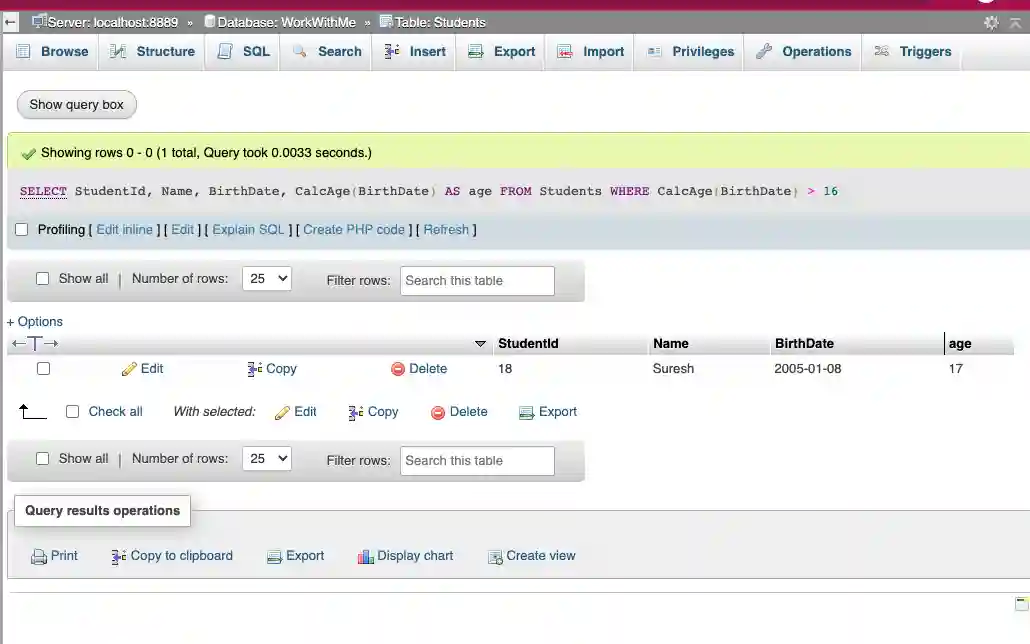
The syntax to a drop a function in MySQL is:
DROP FUNCTION CalcAge;
Differences between MySQL Functions and Procedures:
- Procedure and Function both store SQL Statements but Procedure doesn’t return any value and Function returns the value.
- Procedure invoked with
CALLStatement when Function invoked withSELECTStatement. - Procedure parameters can be defined as Input Only parameters, Output Only parameters and Input-Output parameters and Function have only Input parameters. Function and Procedure both have parameters but declaration syntax is different for both.
We hope this short brief will help you in understanding Functions and using it more effectively. You can contact us to Share your thoughts or reviews.