It may sound cliche, but it’s also true that prototyping plays an important role in communicating how the elements of an idea work together.
How many nights did you spend trying to find the best prototyping tools?
Several prototyping tools have been developed to support early user testing and demonstration of basic user flows. Others are full-stack and can be used to design prototypes and wireframes, simulate realistic rich user interactions, collaborate with teams, and generate code that can be handed off to developers. Which tool you choose depends on your prototyping goals, how quickly you need user testing, who will be using it, and how it needs to be integrated into your workflow.
All that concerned which prototyping method that works best for you!
How to choose the best prototyping tool Determining your purpose, user acceptance, usage, and budget will help you choose the best prototyping tool.
Purpose: What exactly does the tool do? Does the functionality provided meet your specific testing needs?
User Adoption: How easy is it for designers to adopt the tool? In other words, how easy is it for them to live with it and learn how to use it? How does this tool facilitate collaboration with others inside and outside the organisation?
Usage: Simultaneously How many people can use it?
Pricing: What is the pricing structure? What is included in the tool at no extra charge and what is added? At what threshold does the cost of acquisition increase? Finding the right tool is as difficult as finding glasses in a dark room.
This list is useful if you are looking for a tool that shows the most detailed prototype design.
1. Figma
For his UX designers, developers, or UX professionals using cloud-based platforms, collaboration and accessibility are a dream unless they’re using Figma. But speaking of prototyping, figma! Integrate interactive processes into your design files yourself using the most important features. Want to get a really realistic version of your static design?
Here is a list of Figma’s main features that can be accessed from the right side –
- Prototype panel
- Add a new prototype flow
- Add and configure interactions
- Add and configure overflow scrolling
- Configure prototype settings
- Present prototype
2. Adobe XD
Adobe XD offers a vector-based system for assembling prototypes. You can create interactions and transitions while scaling and resizing the elements you want.
Adobe XD as a prototyping tool is immensely powerful. With XD, you can quickly and easily move from wireframes and mockups to static designs and interactive prototypes by using one tool for your entire design process.
Let’s take a look at the key prototyping features of XD –
- Interaction
- Trigger
- Automatic animation
- Multi-device preview
- Export to Adobe After Effects
3. Axure RP 9
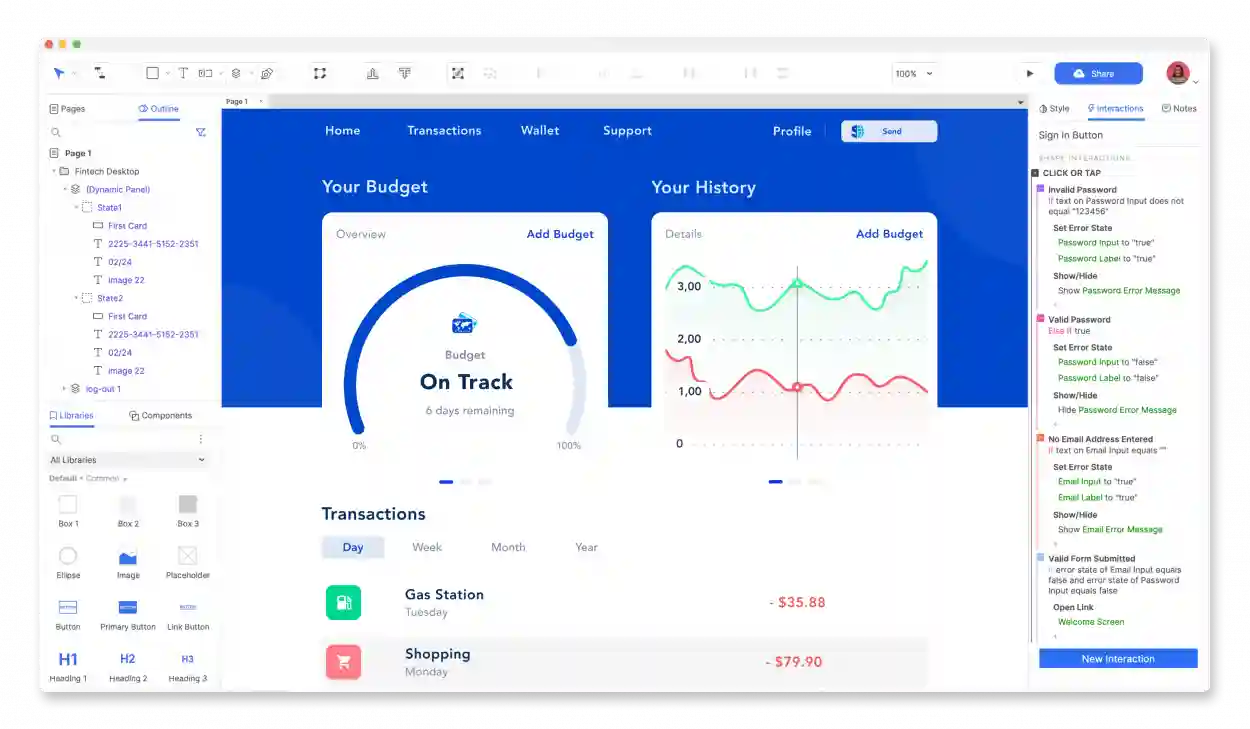
Every UX designer dreams of combining wireframing and prototyping in her one package. Axure RP 9 has additional benefits. No code is required to create prototypes.
With Axure RP 9, you can publish your prototypes to the cloud along with your code, prototype specs, and other relevant elements.
4. Origami Studio
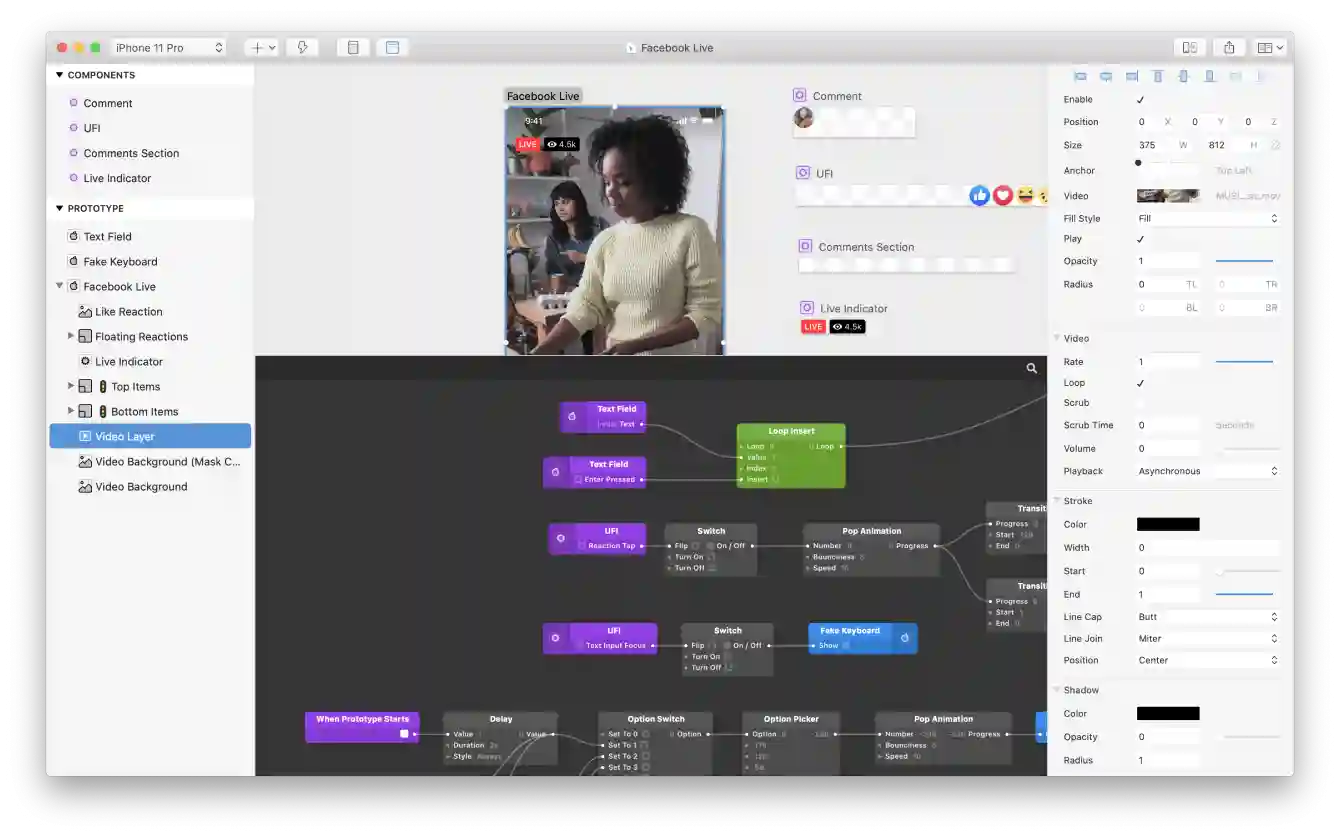
Origami Studio was created out of a need for Facebook designers, and Facebook graciously shared it with the rest of the design world. Origami Studio provides powerful website and mobile app prototyping tools for designers who want a more advanced system.
At the heart of Origami Studio is a patch editor that lets you create logic, behaviours, animations, and interactions. It comes with a lot of ready-made patches, and according to the website, most prototyping work will probably use no more than 15-20. Major features –
- Layout editing
- Create an interaction
- Create a dynamic component
- Use the patch
- Import from Sketch or Figma
- Prototype shooting
- Live sharing between devices
5. Sketch
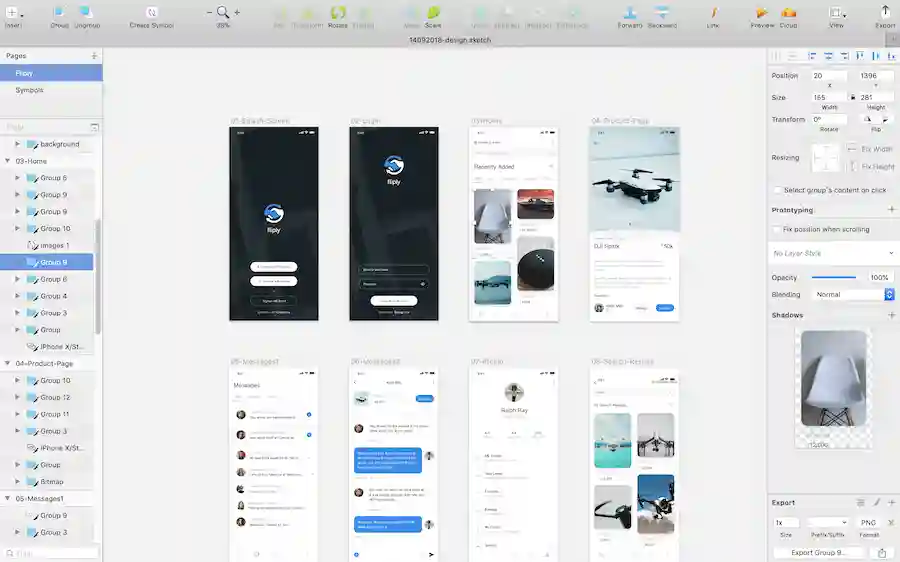
Sketch features ensure uniformity and consistency. Sketch allows you to preview your designs, take advantage of artboard navigation, and create animated interactions. The most important prototyping features are hotspots and starting points that give your designs the edge they need.
Its reusable components can be used throughout your site with the Smart Layout feature that resizes based on content. If you like user-friendly tools, this is for you.