
Every developer knows the tedious dance of mobile UI auditing. You deploy your site, open Chrome DevTools, toggle the device simulator, resize to different breakpoints, check the layout, make a local change, refresh, and repeat.
Recently, I had an experience that completely changed how I approach this workflow. I used Playwright MCP (Model Context Protocol) to audit, debug, and visually verify my Next.js website’s UI on mobile and desktop – all from my editor’s AI chat window.
Here is how it went down and why it is a game-changer for frontend developers.
What is Playwright MCP?
Model Context Protocol (MCP) is an open standard that allows AI agents to securely connect to external tools and data sources. The Playwright MCP server gives an AI assistant (like my coding agent) a headless browser instance.
Instead of just writing code blindly, the AI agent can:
Navigate to any live URL or local dev server.
Resize the viewport to precise dimensions (e.g., simulating an iPhone or a 4K desktop screen).
Take full-page screenshots and visually inspect layouts.
Capture accessibility trees (
browser_snapshot) and check console errors.
Step 1: The Live Site Audit
I started by asking my AI agent to open my live site: launchingstartup.com.
Under the hood, the agent called the Playwright MCP tool:
await page.goto('https://launchingstartup.com/');await page.setViewportSize({ width: 1280, height: 800 }); // Desktop view
await page.screenshot({ fullPage: true, path: './desktop_view.png' });
It then resized the viewport to 375x812 to simulate a standard iPhone screen, took a mobile screenshot, and analyzed them.
What the AI spotted:
Desktop Layout: Looked clean and visually consistent.
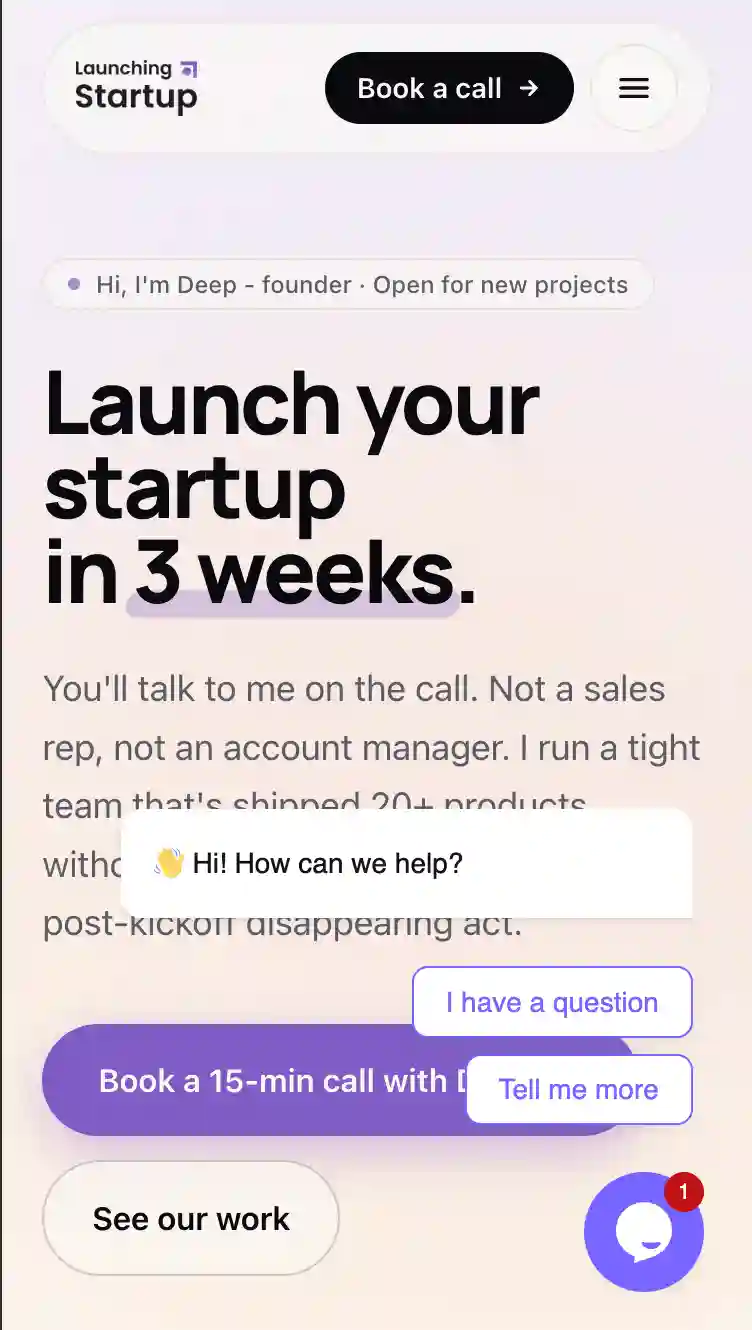
Mobile Crowding: The header’s “Book a call” button was taking up too much horizontal space next to the hamburger menu on small viewports.
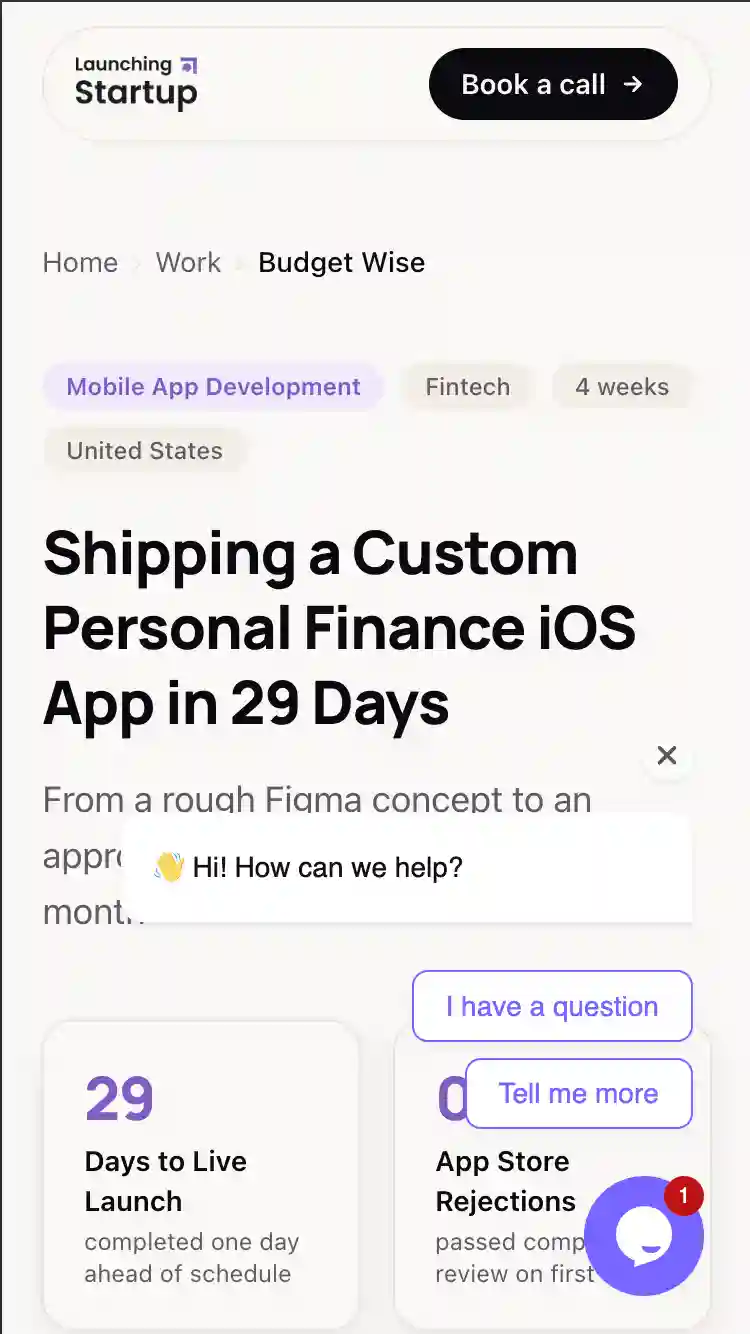
Missing Hamburger Menu: While the home page had a mobile menu drawer, sub-pages (like my
/workportfolio page and case study detail pages) were using a simplified navigation bar that hid links on mobile without rendering a hamburger toggle. Mobile users were essentially trapped on those pages!Overlay Blocking: The Tawk.to chat widget’s pre-expanded greeting bubble was overlapping critical call-to-action buttons.
Step 2: Coding the Fixes Locally
With the issues identified, I didn’t need to manually hunt for files. The AI agent immediately located the relevant React components in my Next.js codebase.
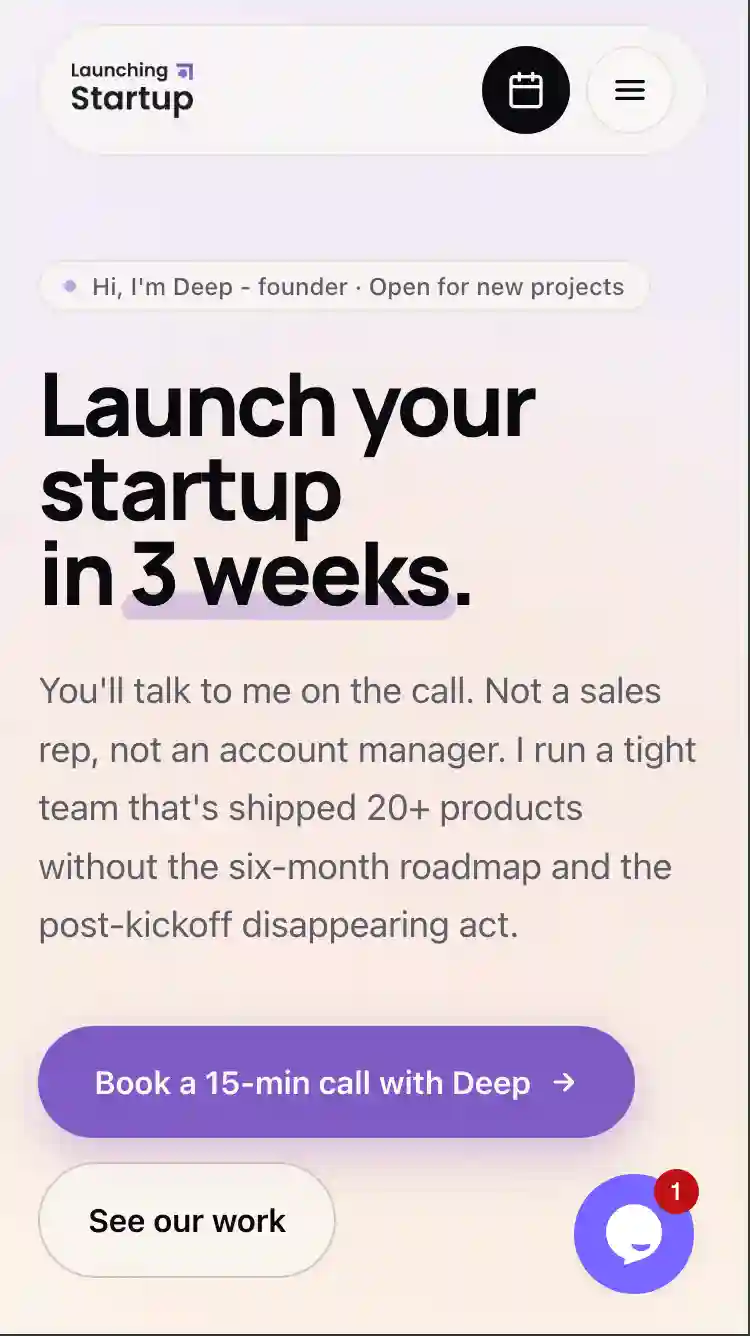
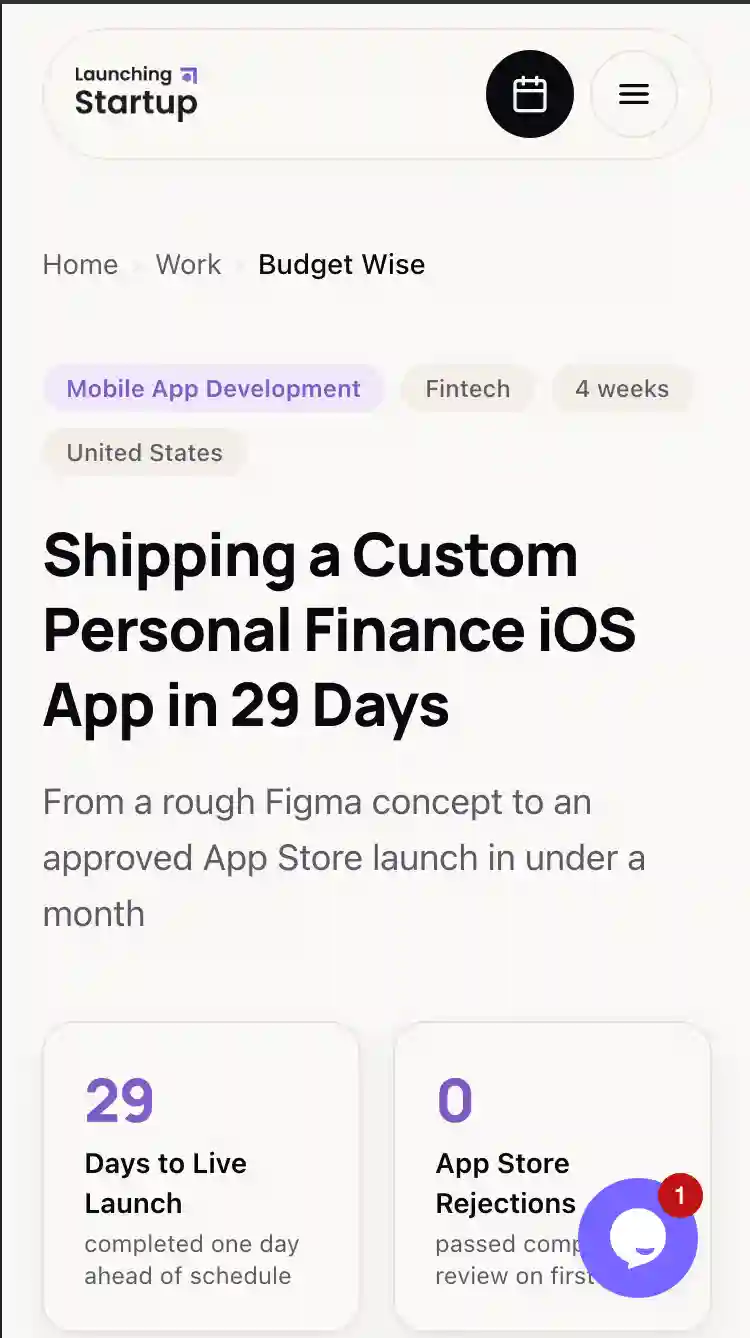
Collapsible Calendar Icon: In both my main header and sub-page header, we updated the button to collapse dynamically. Instead of displaying the text “Book a call” on mobile, it turns into a compact, circular icon button (
w-11 h-11 bg-ink) containing a calendar SVG. On desktop, it automatically expands back to the full button with text.Stateful Mobile Menu on Sub-Pages: We refactored
CaseStudyNav.tsxto adduseStatetoggle logic, scroll shadows, backdrop blur overlays, and the hamburger toggle. We mapped the mobile drawer links to absolute paths (e.g./#how,/#services) so users could navigate back to the home page’s sections from any sub-page.
Step 3: Local Dev Verification with Playwright
This is where the magic happened. Rather than having me run npm run dev and test it myself, the AI agent took charge:
It ran my Next.js local server in the background:
npm run dev(starts onhttp://localhost:3000).It used Playwright MCP to navigate to the local server.
It resized the local view to mobile (
375x812) and took a screenshot.It programmatically clicked the
#menu-togglebutton to open the mobile drawer and took a second screenshot to verify the open state.
Here is the exact code it executed programmatically to click my menu:
await page.locator('#menu-toggle').click();
await page.screenshot({ path: './local_work_mobile_menu.png' });
The screenshots proved the layout was flawless. The collapsed calendar button looked extremely slick next to the hamburger icon, and the mobile menu drawer animated open perfectly with all absolute links intact.
Why Agentic Browser Testing is the Future
This workflow is a massive shift in developer productivity:
Closed Feedback Loop: The AI agent doesn’t just write code; it runs it, views it, and verifies it. It acts as both the developer and the QA tester.
Visual Context: Because the AI can “see” screenshots, it catches spacing anomalies, overlapping widgets, and responsive layout breakage that regular unit tests would miss.
Zero Context Switching: I never had to leave my editor, spin up browsers, click around, or inspect HTML selectors.
Playwright MCP turns browser automation into an extension of the AI’s mind, letting us build and verify visually consistent web applications in a fraction of the time.
🚀 Need a Team that Ships Fast?
If you’re a founder looking to build a high-performance web app, iOS/Android mobile app, or a high-converting landing page, we design, build, and launch startups.
No endless cycles. Just real results, shipped fast.
Get in touch with our founders and let’s bring your idea to life!